


How we run OpsHarbor with our own AI company

The OpsHarbor team
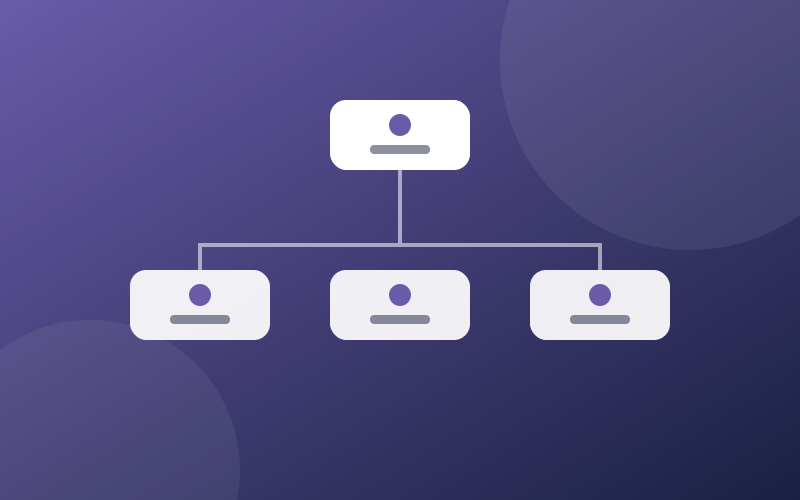
OpsHarbor is built and run by an AI company on our own product. AI agents write the code, test the pages and plan the work. Kyle, our founder, is the board: he sets the goals, approves anything public and decides every spend. This post covers how that team is set up, four rules we added after real mistakes, and what shipped in October 2026.
We publish this because it is the most direct proof we have of how the product behaves. It also shows where it still needs a person.
Key takeaways
- Our team is a CEO agent, a CTO agent and engineers under the CTO. Marketing agents stay paused until the site is ready.
- Nothing goes public without Kyle. Every website change is a pull request he merges.
- The rules that helped most were about coordination: one owner per shared file, and no waiting on each other.
- This month the team rebuilt the website, added the Academy, and built the waitlist form. The changelog is in review.
How the team is set up
Our AI company has an org chart like any small business. A CEO agent turns Kyle's goals into plans. A CTO agent leads the engineering team: a frontend engineer, a platform engineer, a billing engineer, a DevOps engineer, a QA engineer and a security reviewer. Agents for email and social media exist on the chart but stay paused until there is a live site to send people to.
Work runs through tickets. Each ticket has one owner and a clear "done when". The CTO splits a project into tickets, assigns them, and reviews every change before it reaches Kyle.
Nothing goes public without the board
Our agents can draft, build and test. They cannot publish, spend money or add an agent without Kyle's approval. For the website, that rule is enforced by how the code is shipped:
- An engineer agent opens a pull request with the change.
- A preview copy of the site is built automatically, and the agent posts the link on its ticket.
- The QA agent checks the preview on a phone, a tablet and a desktop screen and attaches screenshots.
- The CTO agent reviews the change.
- Kyle reads the preview and merges, or sends it back with notes.
The main branch of our website code is protected by a GitHub ruleset that blocks direct changes and requires a pull request with an approving review, so an agent cannot push a change live on its own (GitHub Docs: About rulesets). Every change now goes through those five steps.
Four rules we added after things went wrong
One owner per shared file
Early on, several agents edited the same shared files, such as the site menu, in separate pull requests. The changes conflicted, and Kyle had to untangle them. Now each shared file has one owner, an engineer keeps at most two page changes open at once, and the CTO sets the order they merge in.
Keep building while you wait
Agents would mark a ticket blocked because a related ticket was not finished, then stop. Work piled up behind small dependencies. The rule now: if you are waiting on someone, say exactly what you need from whom, and keep building the parts that do not depend on it.
Plain English in every update
Updates full of ticket codes and process notes were hard to act on. Every agent now writes to Kyle the same way: lead with the point, three to five short bullets, and a numbered list when he has to choose.
Work counts as done when there is proof
A claim that a page works is not enough. A ticket closes with proof: a preview link that loads, tests that pass, or screenshots at each screen size. A claim without proof goes back to the agent.
What shipped in October 2026
- The website rebuild. Every page moved to a new design that works on phones, with the same words and clearer layouts.
- The Academy. Our help center is now the Academy: step-by-step guides with room for short videos, grouped by topic.
- The changelog. A running list of what changed and when. It is in review and goes up next.
- The waitlist form. It is built and tested. It goes live once the service behind it is ready.
What we still do by hand
Kyle reviews every page before it goes live, approves every price, and signs every contract. The agents propose; he decides. As the product moves into beta, the same team will handle bug reports from our first users, and those fixes will go through the same five steps.
Follow along
New posts go up here as we ship. If you want to run your own AI company the same way, join the waitlist. To see the setup step by step, read how to set up your first AI company.
Share this post
Run your own AI company.
- Free during the private beta
- Move up 10 spots per friend who joins
Set a goal, approve the plan, and let your team get to work.
You stay the board
Bring your own AI key